Understand a Track
Finding music often starts from a track already in someone's head (yours, a colleague's, the client's). Understand a Track takes that starting point and turns it into a search, even when you can't yet put into words what you are after.
Start from a reference track
- Name it. For a commercial track, just name it and CMI pulls a 30-second preview to work from.
- Upload it. Drop in an audio file; the format barely matters (WAV, AIFF, FLAC, MP3, MP4, AAC, M4A, and most others).
- Paste a Spotify link. CMI fetches a 30-second preview from the web.
CMI then describes the track: the familiar basics (genre, keywords, instruments, BPM, key) and, above all, CORPUS's detailed description of what the music actually is and does, with the preview to play.
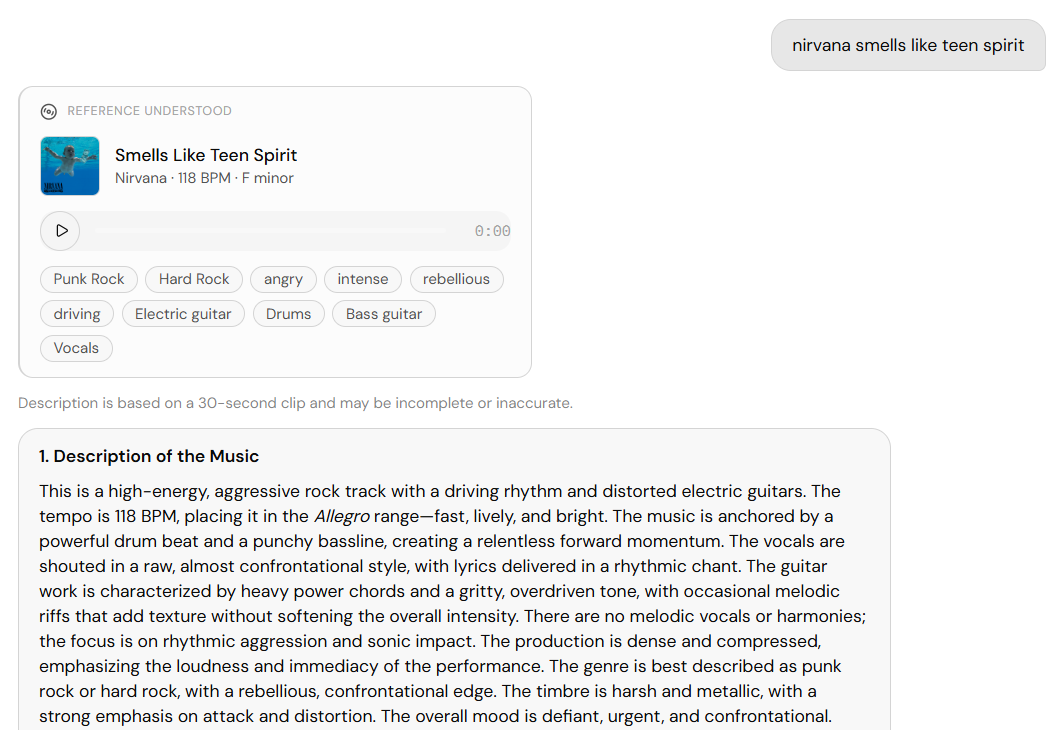
From a track to a search
Something in that track caught you, and many people can't name exactly what. So CMI offers a numbered set of three track-specific characteristics: the angles most likely to be what matters here. Pick one and CMI runs a grounded Precision Search for catalog tracks that share it. You never had to learn genres or tag vocabulary; you started from the music.
A fourth option, "as close as possible," runs an audio-to-audio Similarity Search instead.
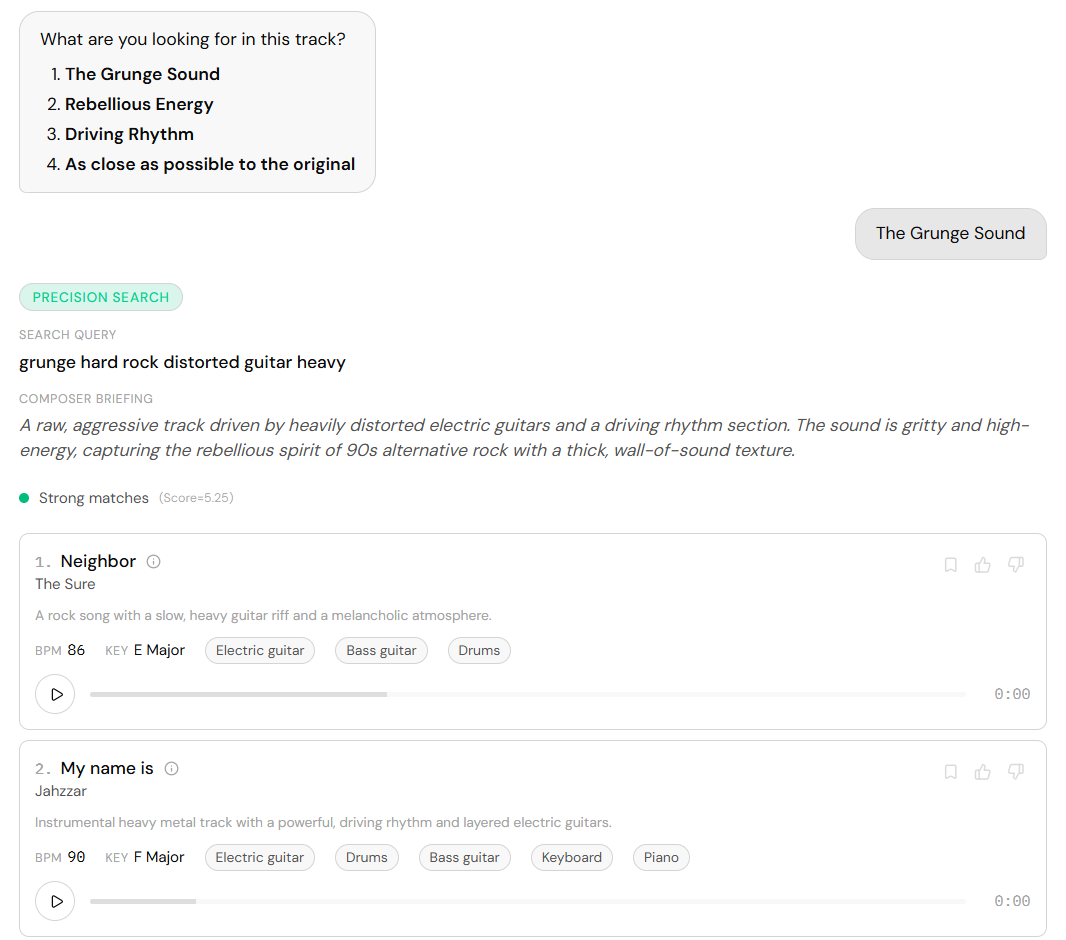
Already know the change you want? Say it with the title ("like Wicked Game but darker, no drums") and CMI skips the description, building a grounded search straight from the track plus your tweak.
When a track was rejected
Paste a track a client killed and ask for a way forward ("they rejected 'No Time To Die' for the title sequence; where do I go?"), and CMI asks what didn't work, then searches in that lane minus what you pushed away from. You get advice grounded in what the track actually did to your picture, not just a list of alternatives.