Precision Search
Precision Search is the classic, familiar way to search a catalog, by the handles you already know, and then some. Where it differs is underneath: it matches on meaning, not on tags.
Search the way you are used to
Ask for the usual things, and combine them freely:
- Genres, moods, keywords: the taxonomy you already work in.
- Instruments: include or exclude specific ones.
- Lyrics: find tracks where certain words or themes appear, or exclude words you don't want.
- Explicitness: whether a track is explicit, and what kind.
- Style references: "sounds like Gary Moore", "a Nirvana energy." Kept general, CMI folds the specifics of what that means straight into the query. Name one specific track and it instead fetches the reference and runs it through Track Understanding first.
The query card
Type a brief in plain language and CMI shows what it will search before it runs:
- a search query: a few musical keywords resolved from your words;
- a composer briefing: a sentence or two describing the sound it is looking for;
- filter chips: the hard constraints it actually applied.
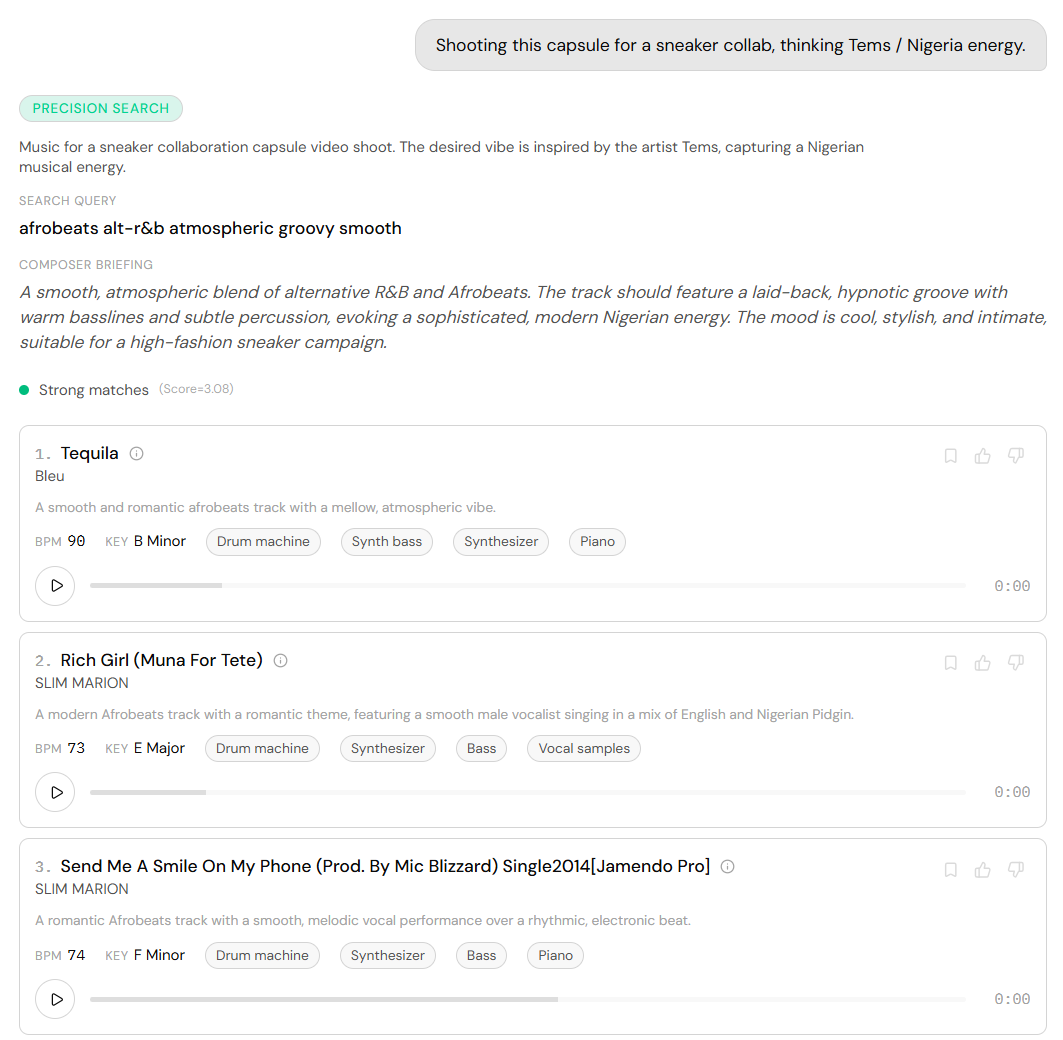
It searches meaning, not tags
The crucial difference: Precision Search does not just filter the taxonomy; it searches semantically, by meaning-proximity against CORPUS's detailed track descriptions. Even when your words never appear verbatim, the meaning is understood and matched to how each track is described.
Hard filters still cut, though: ask for "no piano" or "female vocals" and it becomes a filter, and overfilling them kills recall, so CMI keeps the description in the soft query and sets a filter only when you explicitly demand or forbid something.
Click the ⓘ on any result to read its full description; a yellow highlight marks where the semantic match was measured. A traffic light rates the set: strong when results sit semantically close, weaker when they fall short.
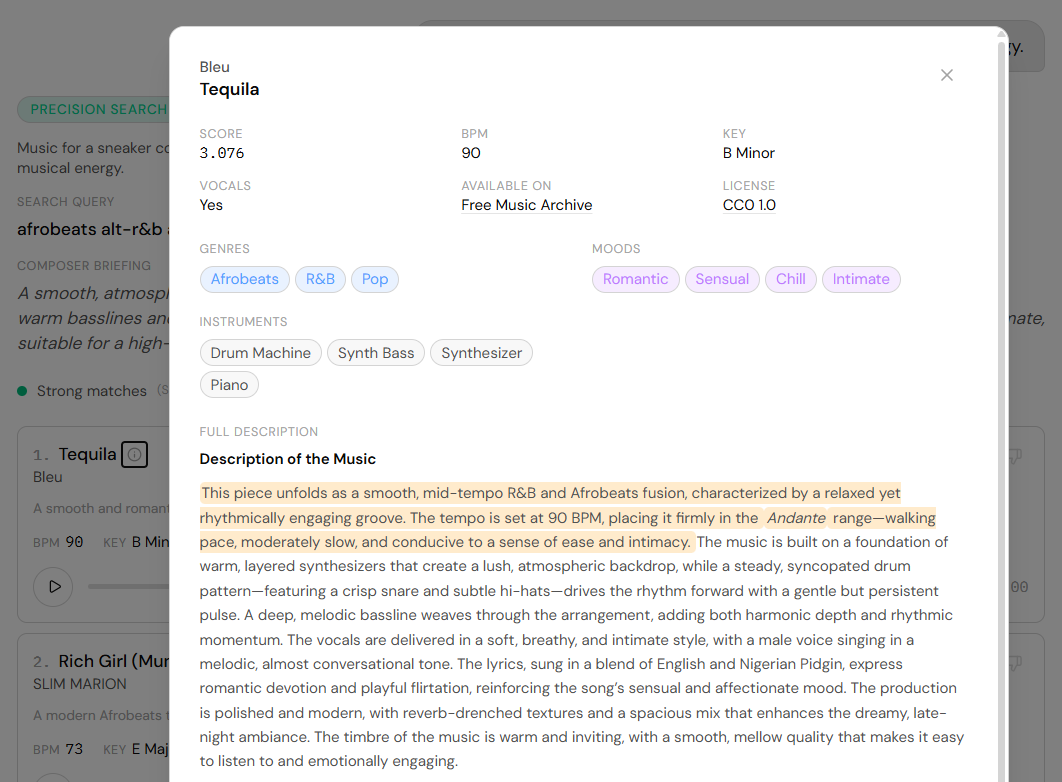
Refine without starting over
A follow-up edits the previous search rather than replacing it. "More sparse", "drop the strings", "a touch faster" change only what you named and keep every other field.