Multi-Search
When one request carries several music needs (on purpose or not), CMI lists them and lets you pick before it searches. It is a clarification step, not a separate engine.
Several needs in one message
Hand CMI a brief or a few lines with more than one cue ("a tense opening chase, a tender mid-film love scene, and triumphant end credits"), and instead of guessing which one you mean, it numbers the cues it found, suggests one to start with, and waits for you to choose.
Upload a whole script or briefing
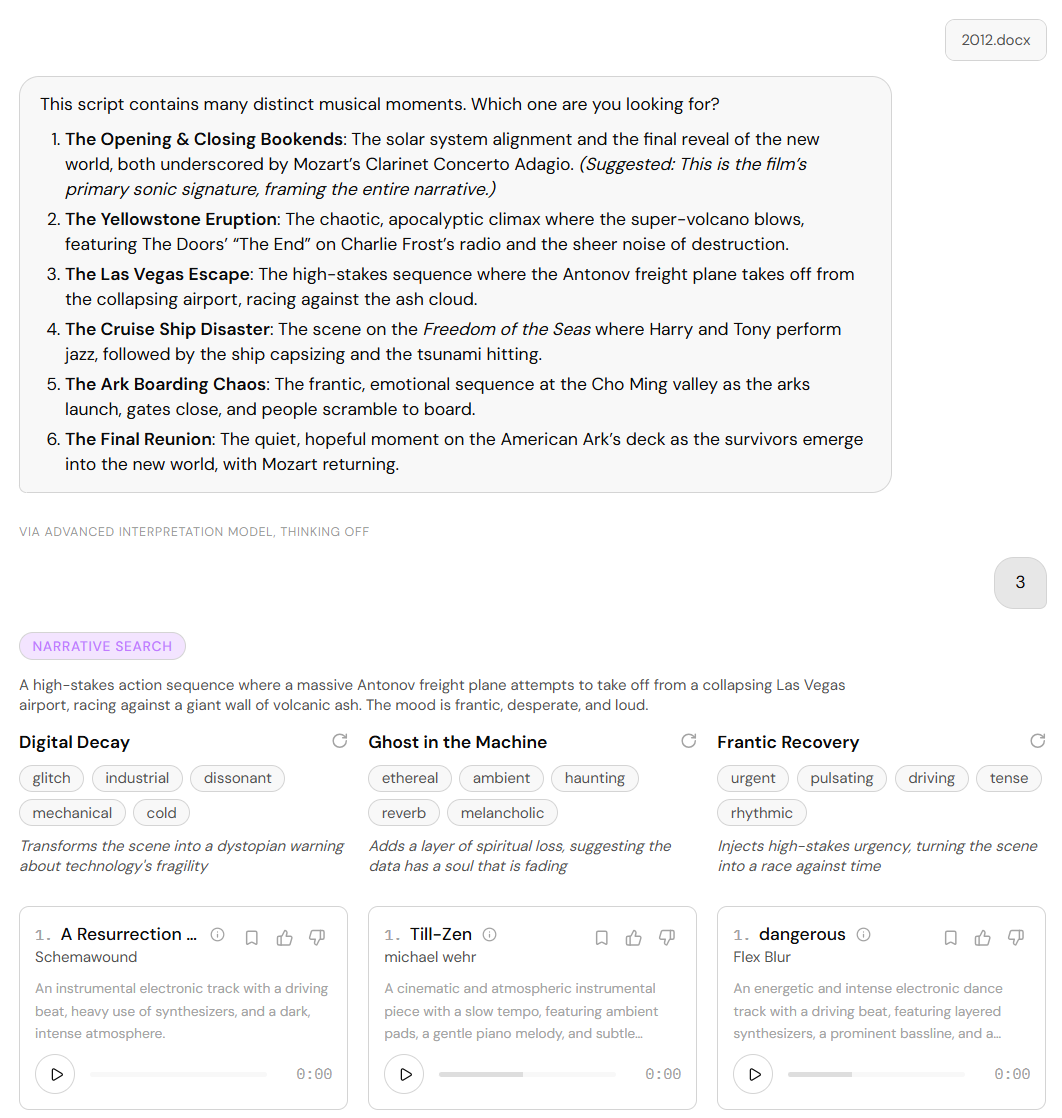
You can also hand over the entire document. CMI reads Word (.docx), PDF, and Markdown, breaks the text apart, and returns a list of the decisive musical moments: for a long script that is the key moments rather than every last one; for shorter material you can rely on it being the full set.
One pick, the right mode
Reply with a number and CMI takes that moment straight into the mode that fits it (Precision if it is a nameable sound, Narrative if it is a scene) with no second round of routing. Each moment keeps its own context, and several searches can run in the same chat session, so you can work through a whole script one moment at a time without starting over.
How CMI decides between routing and asking is in Conversational Dialog.